Placeholder Text
Placeholder Text is the temporary text displayed inside an input field or form element that provides an example or instruction about what content should be entered. Typically, it disappears once the user starts typing. Placeholder text helps guide users and clarify the expected input format (e.g., “Enter your email address”). While helpful, placeholder text should not replace labels, as it can disappear when the user is typing, potentially causing confusion or difficulty for the user.
Placeholder text that disappears on focus is a common accessibility failure — once users start typing, the hint is gone, forcing them to clear the field to remember what was expected. For long forms or complex inputs, this creates frequent errors and frustration. Best practice is to use floating labels (that move above the field when focused) or to provide persistent helper text below the field, not inside it. For simple, obvious fields, placeholder text is fine; for anything that needs explanation, it's insufficient.
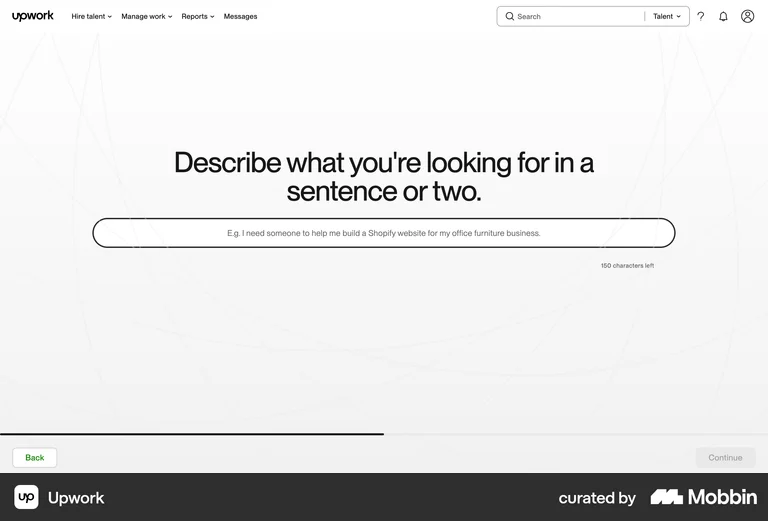
Upwork's job posting form uses 'E.g. I need someone to help me build a Shopify website for my office furniture business.' as placeholder text — a concrete example that shows users the expected format and level of detail before they type.